How to Scale Facebook Traffic in 2026: Accounts, Antidetect Browsers, Proxies, and Infrastructure
Running Facebook ads for nutra offers is already a challenging task. Scaling them is even harder. Every year, Meta rolls out updates to its antifraud systems, moderation rules, and advertising algorithms. All of this makes launching ads more difficult: the general workflow remains the same, but the details keep changing.
Why Has Scaling Facebook Traffic Become Harder in 2026?
Facebook has become trickier because it no longer restricts and bans accounts based on “instant karma.” Instead, it works more like a system that accumulates violations over time. In other words, it detects suspicious behaviour but may not react immediately. Then, once enough red flags build up, Facebook freezes accounts at the worst possible moment.
Facebook analyses not only ad creatives, but the advertiser’s entire infrastructure:
- account history;
- payment methods;
- device and browser environment;
- IP addresses and their reputation;
- connections between accounts inside Business Manager;
- user behaviour inside the ad account.
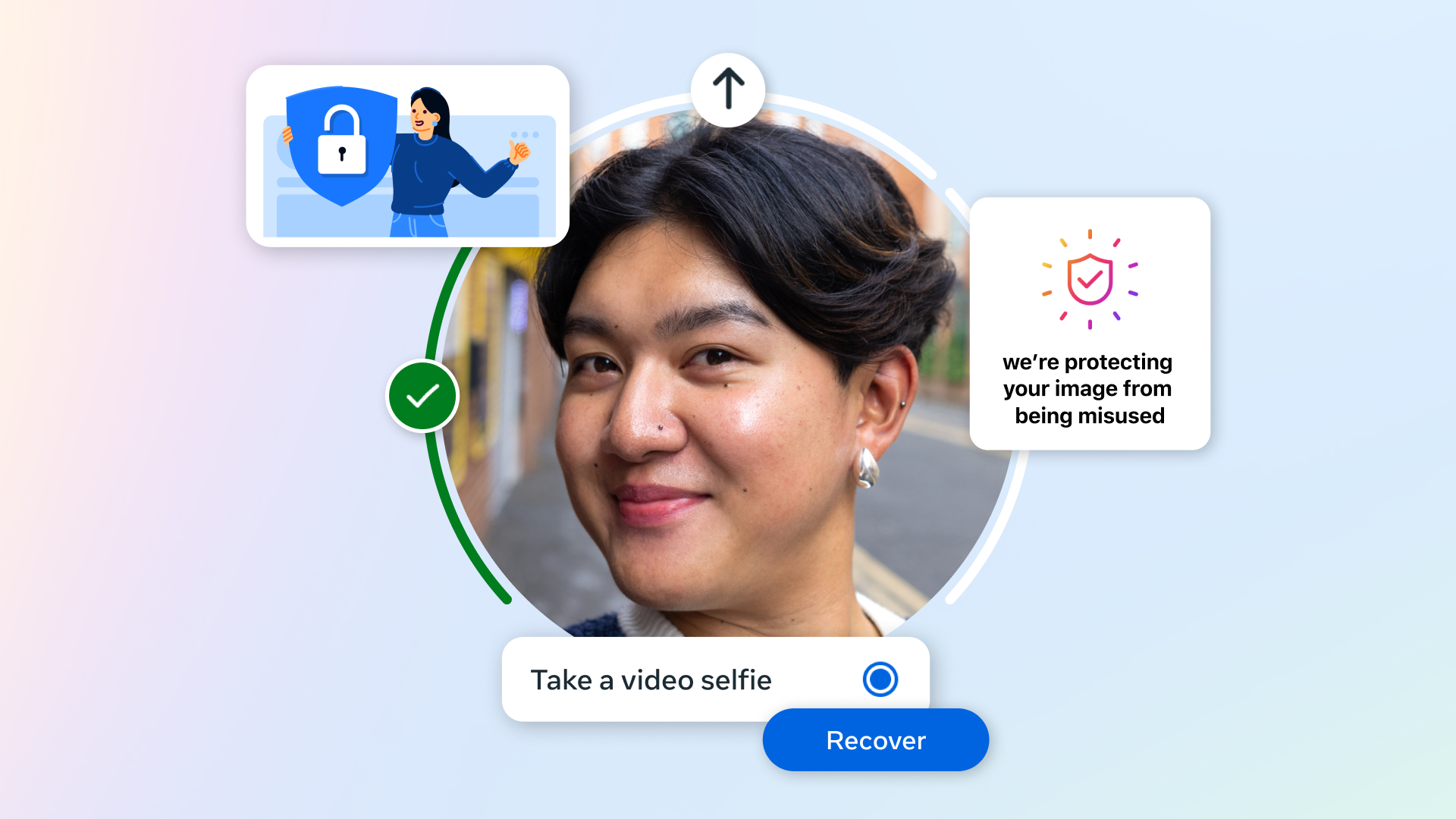
Facebook has also become more likely to run deeper selfie checks. In recent years, Meta has required users not just to record a video, but to turn their head several times in different directions.
Scaling requires a large number of ad accounts. Because of this, the risk increases that the system will link them together.
Checks Are a Sign of Weak Infrastructure and/or Behaviour
Account freezes, and especially selfie checks, usually mean your ad account already has quite a few problems, even if you have never faced Risk Payment issues or ad rejections.
And these problems are not always caused by what you do inside the account. Very often, the trigger for Facebook is your digital fingerprint, the IP address of your proxy port, or the BIN of your payment card.
That is why a properly built infrastructure — accounts, an antidetect browser, proxies, and cards — is the main safeguard against selfie checks.
Affiliate Marketer’s Infrastructure: The Basic Minimum
The essential components for working with Facebook ads are ad accounts, an antidetect browser, proxies, and cards for paying ad spend. Optionally, you may also need cloaking and a tracker.
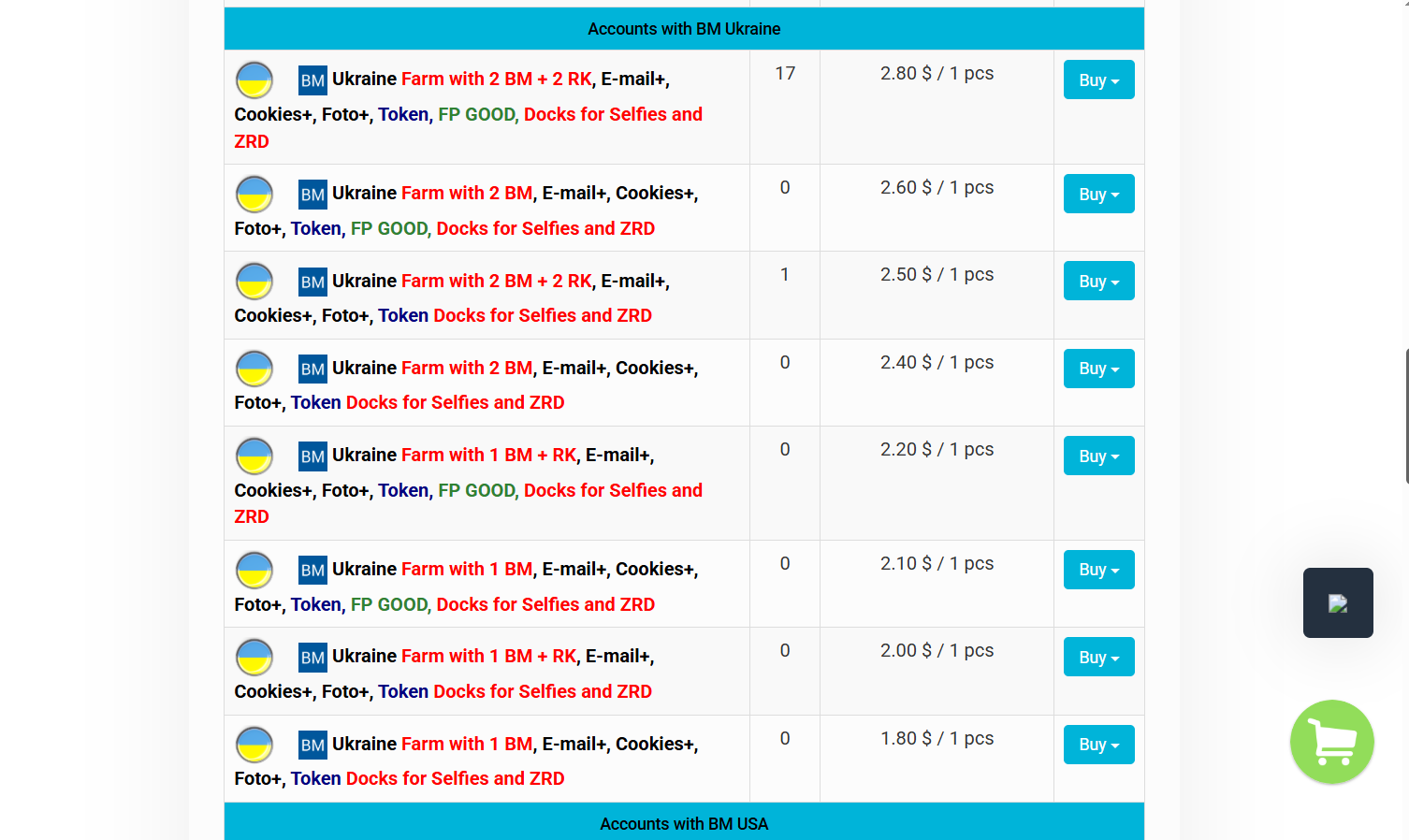
Accounts
Accounts are the core component of Facebook advertising. The quality of your accounts directly affects how long ad accounts last, what ad limits you get, and how stable your entire infrastructure is.
For scaling, two things matter: account quantity and account quality. To reach serious volume, you need one of two things:
- Build a large farming department that creates hundreds of “mom/king” accounts for work.
- Find several trusted shops that can consistently supply high-quality accounts, ad accounts, Business Managers, and fan pages.
The only real way to find good shops is to buy, check, and test accounts. Reviews and shop representatives attending industry conferences can increase your chances of making a good purchase, but they do not guarantee it.
You should have several trusted shops, because one supplier may simply not have enough accounts for scaling and quick replacements.
Antidetect Browser
An antidetect browser is no less important than accounts. Facebook scans your IP addresses, cookies, plugins, and digital fingerprint parameters such as OS version, browser version, GPU, system fonts, and so on.
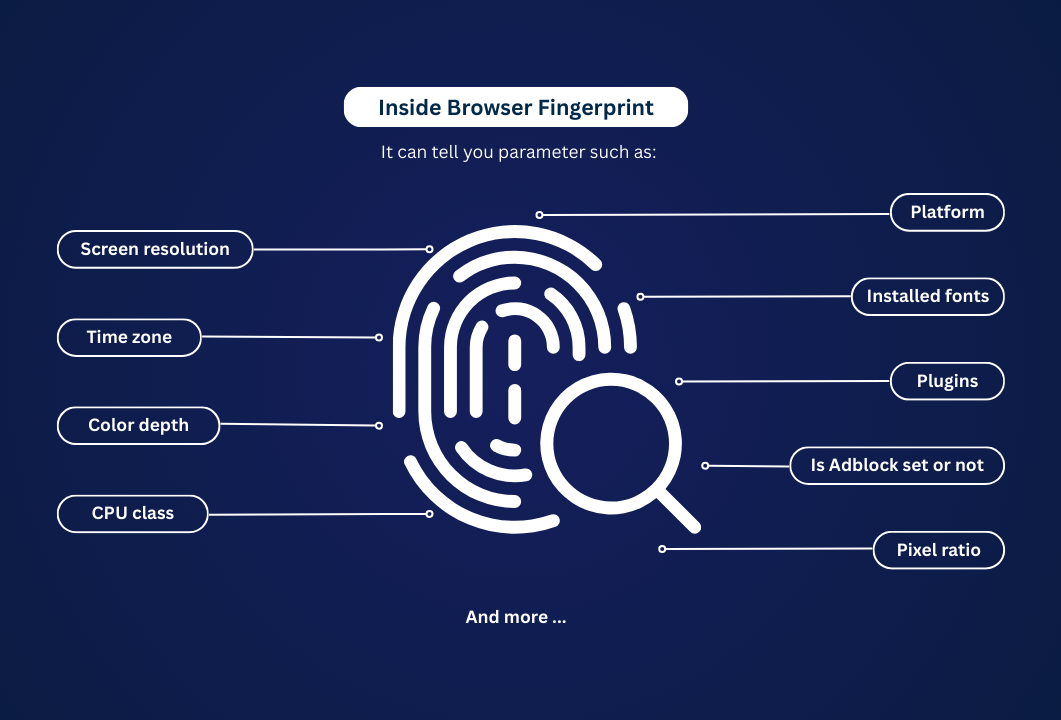
An antidetect browser replaces some of these parameters and creates unique digital profiles.
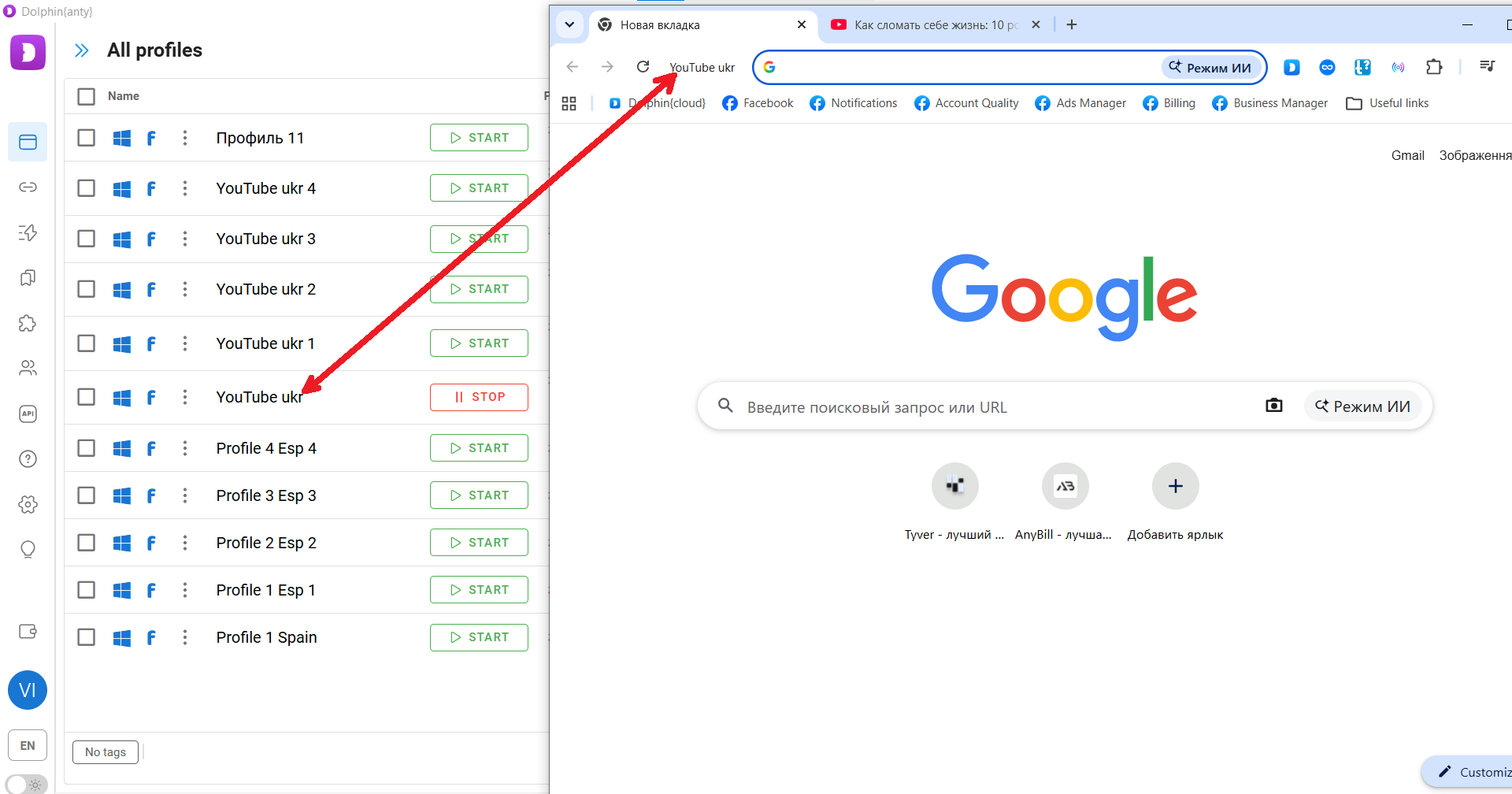
Profile list in Dolphin Anty.
Inside each of these profiles, platforms like Facebook see new unique users.
An antidetect browser is needed to:
- Prevent multi-accounting detection. Facebook should not see that all accounts are being used by one person — you. Even more importantly, it should not detect that the account is being used by someone who has already been banned before.
- Maintain account trust. Facebook does not trust only the account itself, but also its digital environment: IP address, cookies, and digital fingerprint. The purpose of an antidetect browser is to create an environment for the account that maintains maximum trust and minimises the risk of bans.
- Imitate the target GEO. You cannot simply connect a proxy or VPN and safely open accounts for Ukraine, Poland, or any other target country. All fingerprint parameters — local time, interface language, cookies — should match the region you are imitating. Without an antidetect browser, it is impossible to properly imitate another region.
Proxies
Proxies are needed for several reasons:
- to hide your real IP address;
- to give each profile with an account its own IP address;
- to imitate the target GEO.
Important: An antidetect browser WITHOUT proxies does NOT change your IP address.
For scaling specifically, you should use residential or mobile proxies. You can purchase them from one of the following providers:
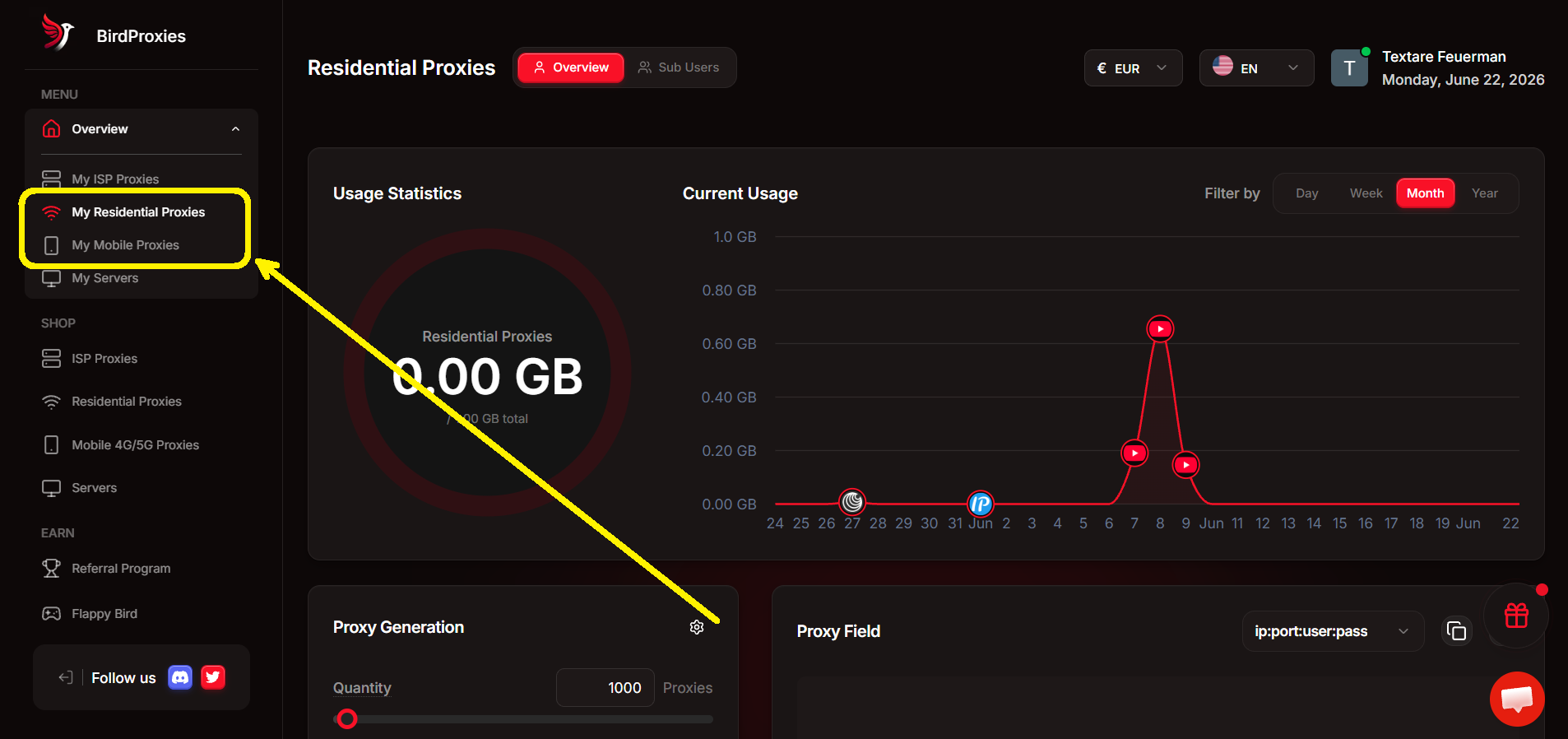
Residential and mobile proxies route traffic not through a server, but through the PCs and smartphones of real users who have agreed to this.
Large platforms can immediately detect traffic that is routed through proxy servers. But mobile or residential traffic does not raise the same level of suspicion — it looks like traffic from ordinary users.
Payment Solutions
To pay for ads, you will need a large number of virtual cards. These are usually purchased through specialised services such as:
These services allow you to purchase as many cards as you need, so payment methods do not become a bottleneck when scaling campaigns.
Rules for working with payment cards:
- One king/mom account or Business Manager — one card. You should not use the same card for two or more accounts.
- If a card triggers Risk Payment, do not reuse it.
- If the setup fails, discard the card. It should not be used for other accounts or Business Managers.
Reusing the same payment method across different accounts and ad accounts significantly increases the risk of restrictions and bans.
How to Configure an Antidetect Browser for Large-Scale Facebook Operations: A Dolphin Anty Example
For this example, we've chosen Dolphin Anty because of one key feature: it uses fingerprints from real users. As a result, the accounts you operate through Dolphin Anty enjoy the highest possible level of trust from major platforms.
Here are the basic steps for working with Facebook.
-
Creating a Profile
Open the profile list and click "Create Profile."
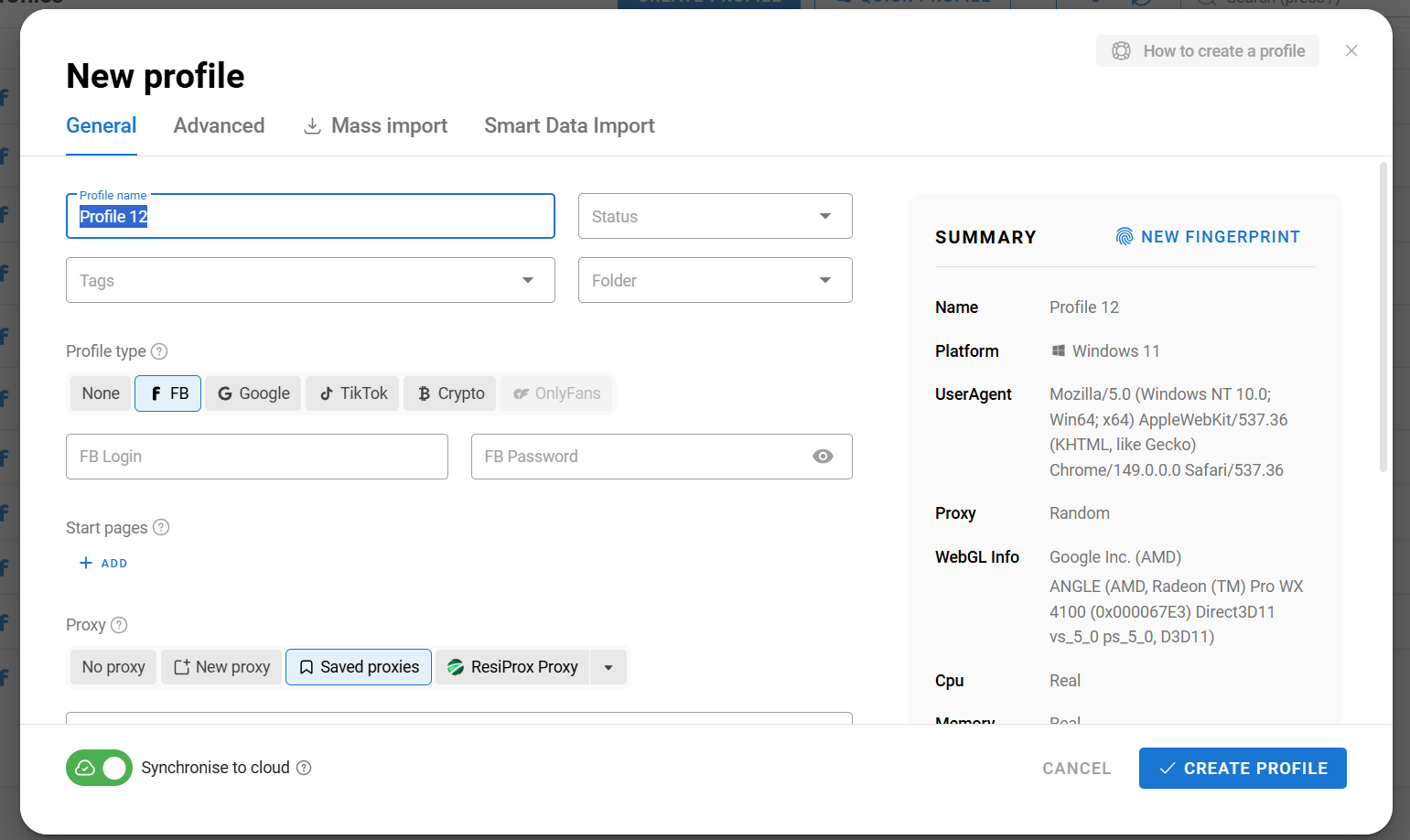
Next, give the profile a name and add cookies if you're creating accounts from scratch for farming purposes. Do not change anything else unless you understand how browser fingerprints work. Dolphin Anty will automatically select the most suitable fingerprint for your operating system.
-
Adding Proxies
Since we're talking about scaling, it's easier to add proxy ports to the dedicated proxy section first and then assign them to browser profiles in bulk. If you already have a proxy provider, simply copy the proxy ports and add them through the mass addition section.
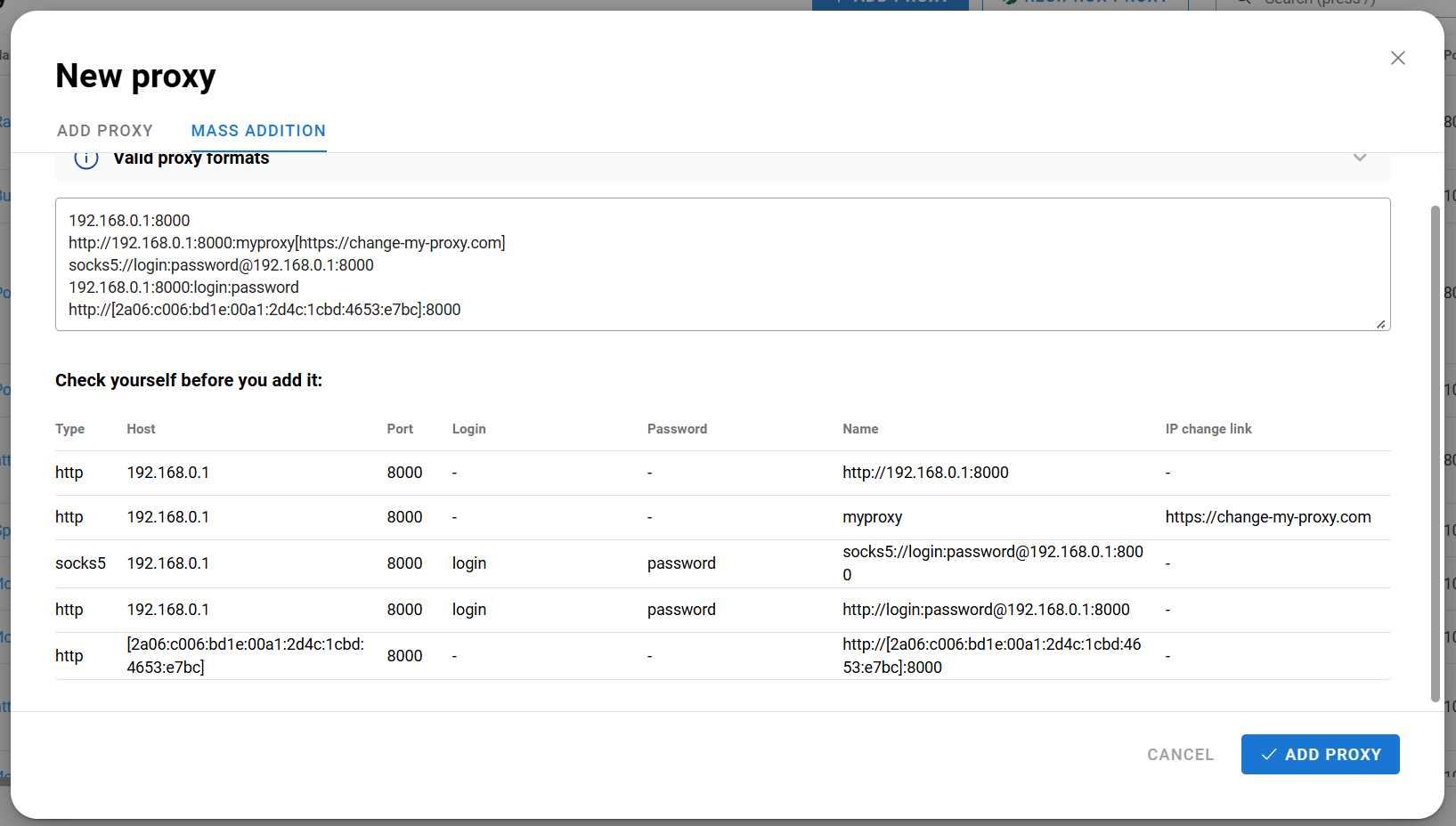
If you don't have a trusted provider, you can use one of Dolphin Anty's integrated partner providers. Open the Proxy section, click the button next to "Create Proxy," and select a provider.
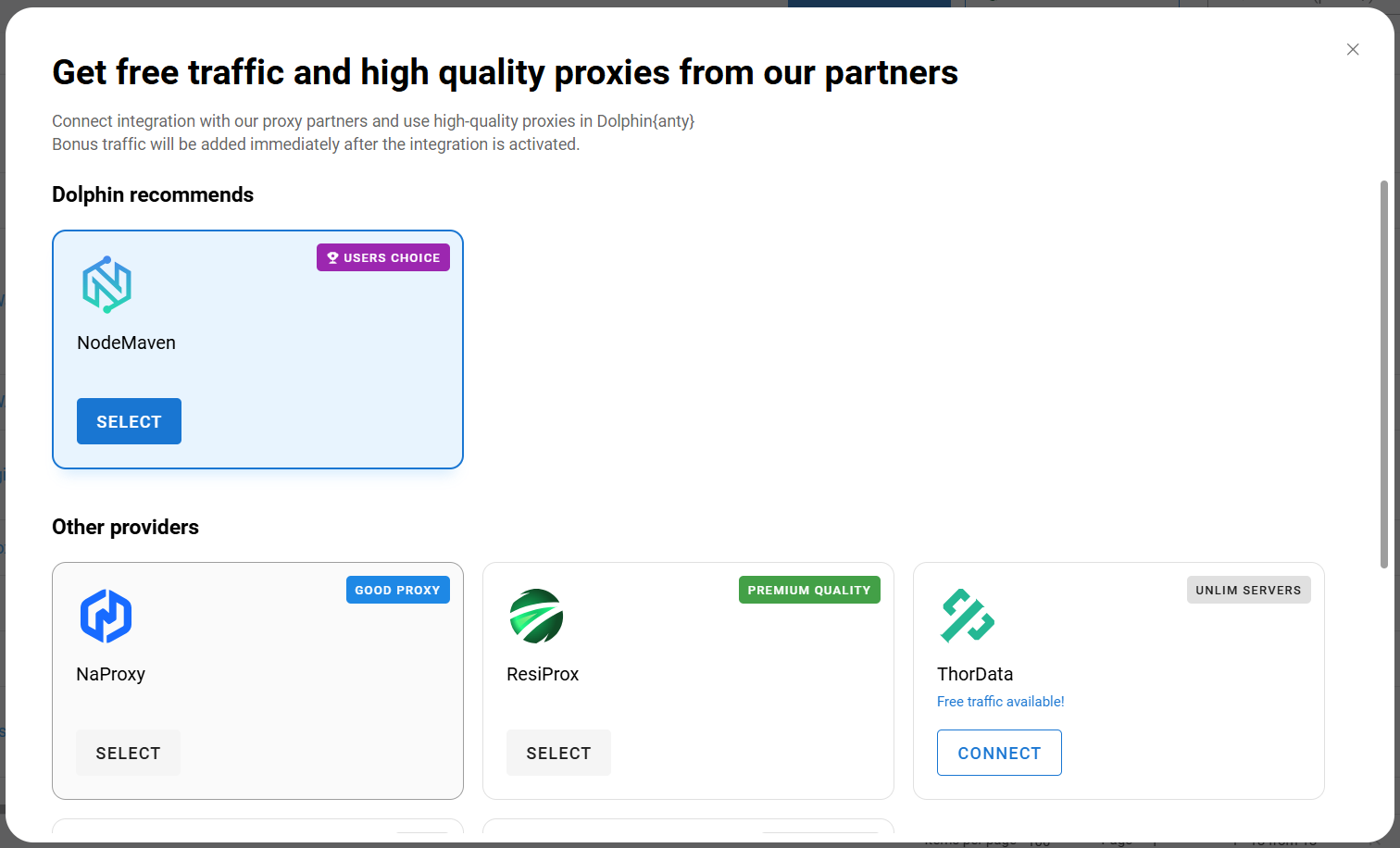
If you're not satisfied with a particular provider or its proxy ports, you can easily switch to another one later.
After importing proxies in bulk, you can quickly assign them to the browser profiles you've already created. Select the profiles and click "Change Proxy" in the action panel.
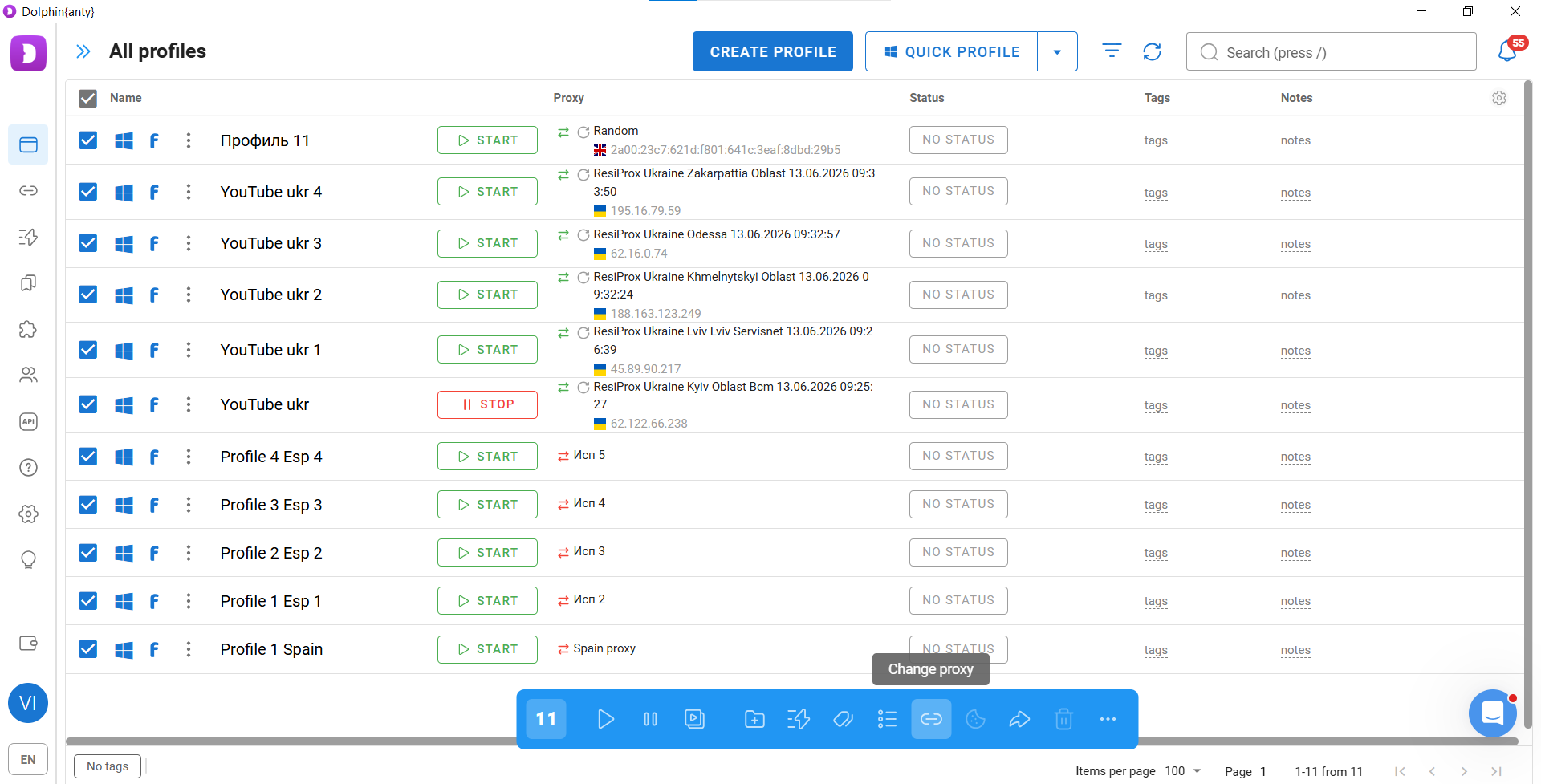
Then simply choose the proxies you've added and follow the on-screen prompts.
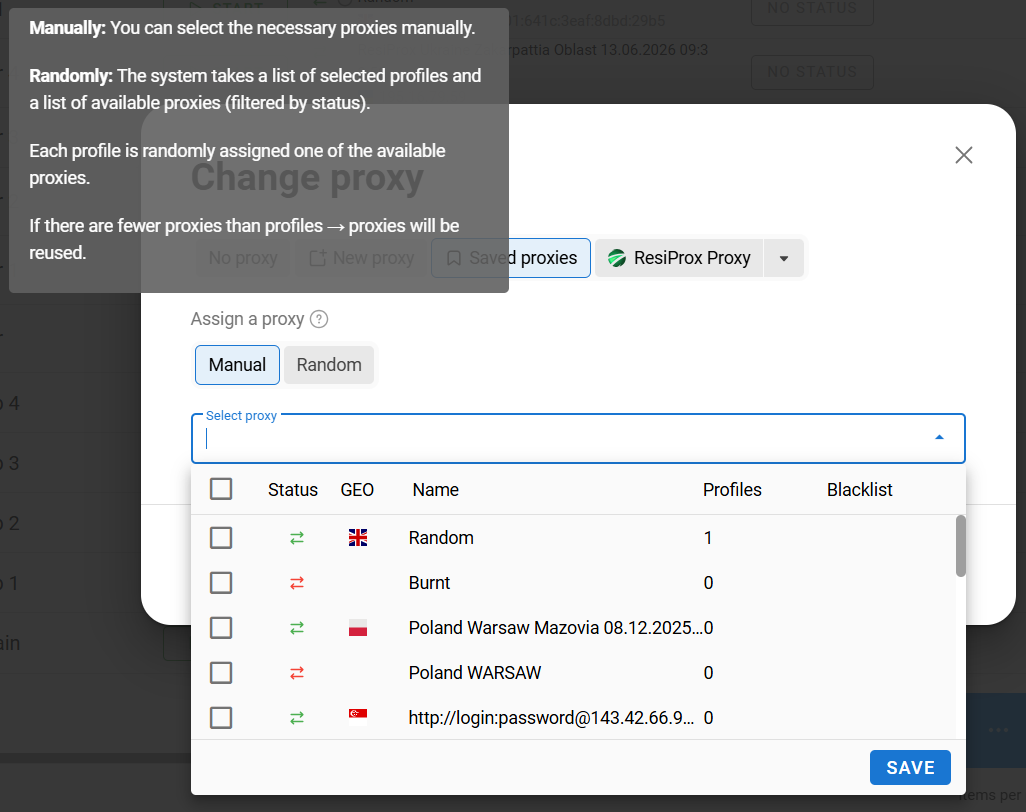
-
Adding Cookies (Optional)
This step is only necessary if you're creating and farming accounts yourself. Purchased accounts are typically sold together with cookies.
To generate cookies from scratch, hover over the three-dot menu next to the profile name.
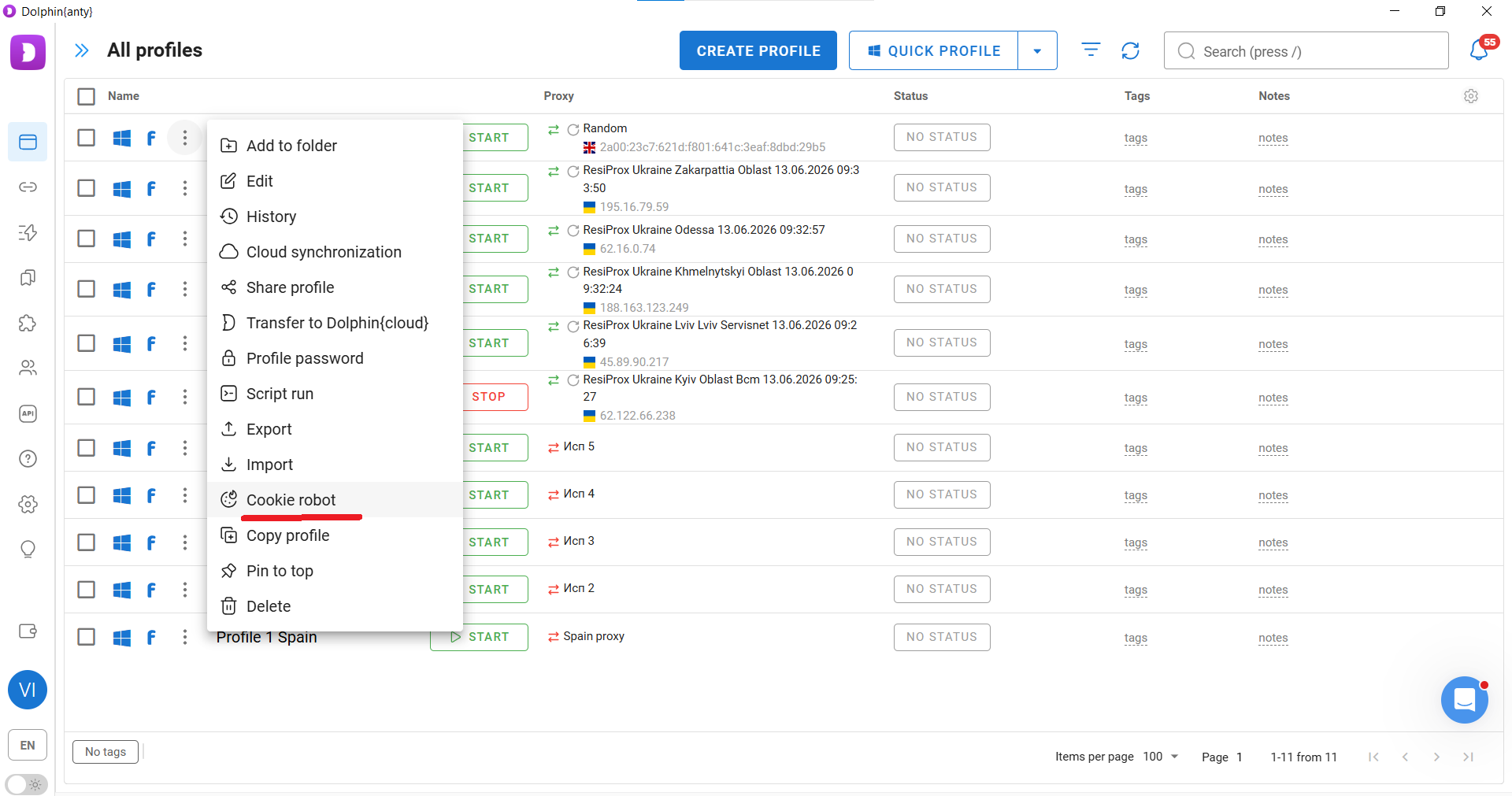
Add a list of URLs and launch the Cookie Robot. Within two or three minutes, it will generate cookies for the profile.
Before loading accounts into the antidetect browser, it's worth testing the infrastructure you've created.
How to Instantly Check Your Antidetect Setup and Proxies?
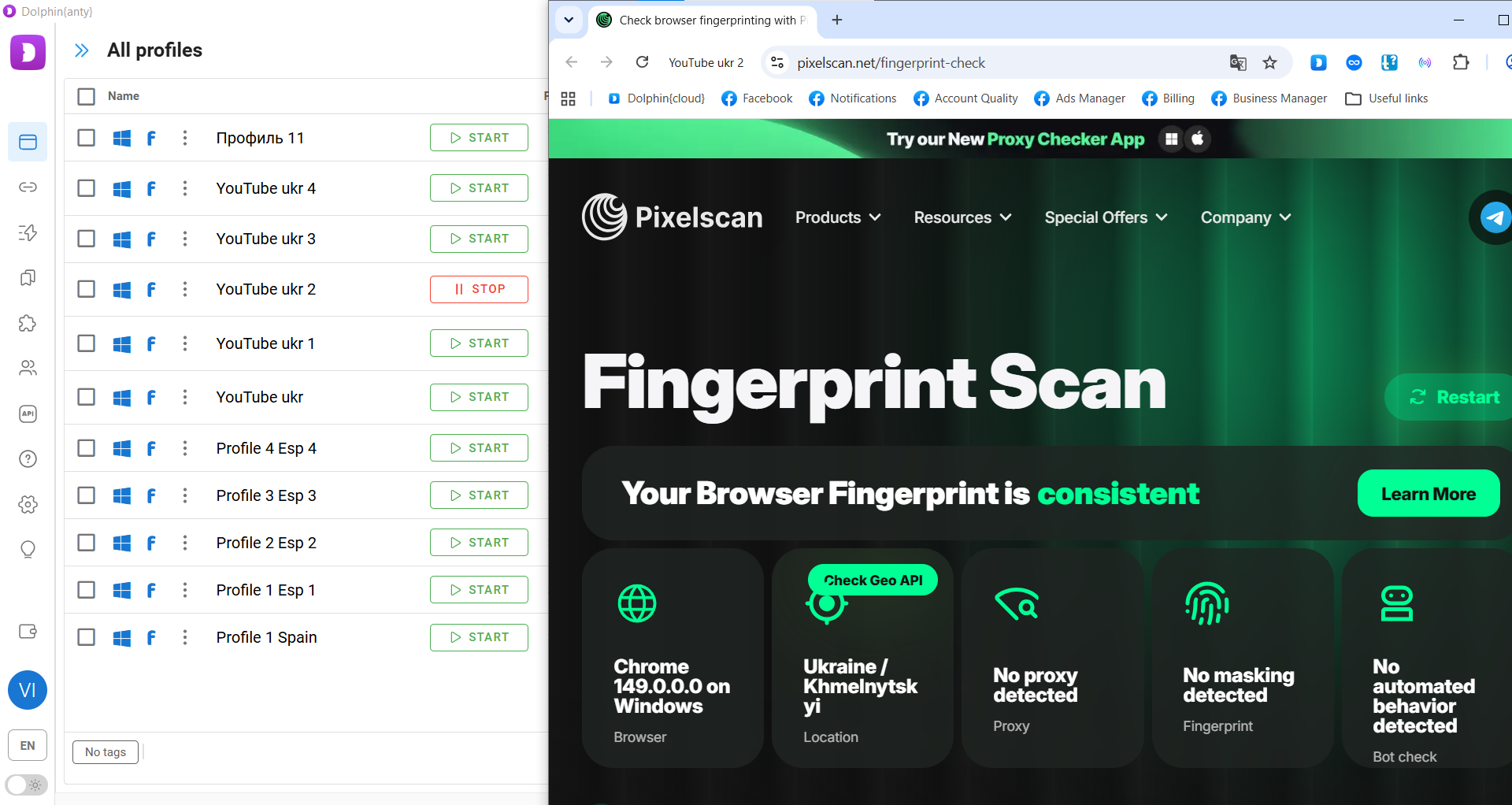
Launch a browser profile and open the checker at Pixelscan.net. Then start the scan by clicking "Scan my browser now." If both the antidetect browser and the proxy are configured correctly, the results should look like the screenshot below.
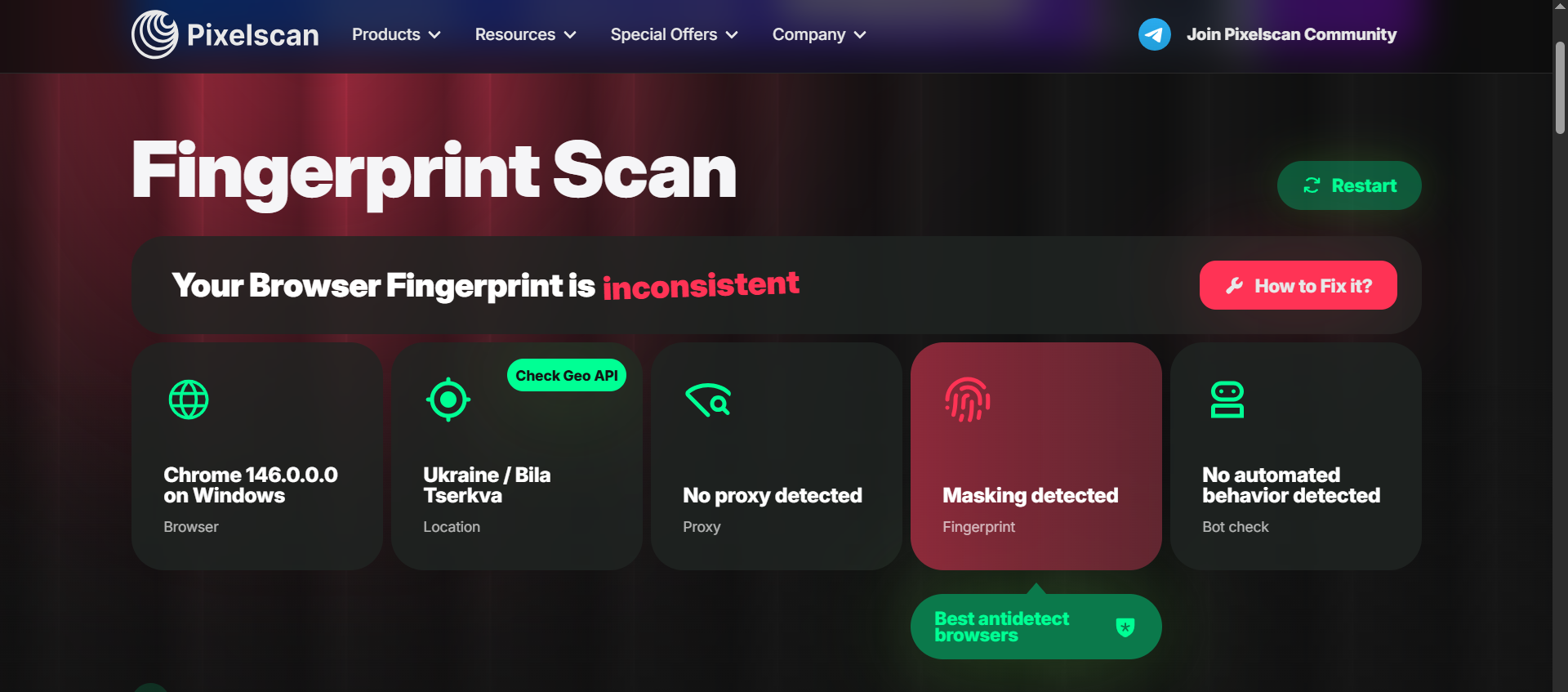
If there is an issue with the antidetect browser or browser fingerprint, the result will look like this:
If the problem is with the proxy, the result will look like this:
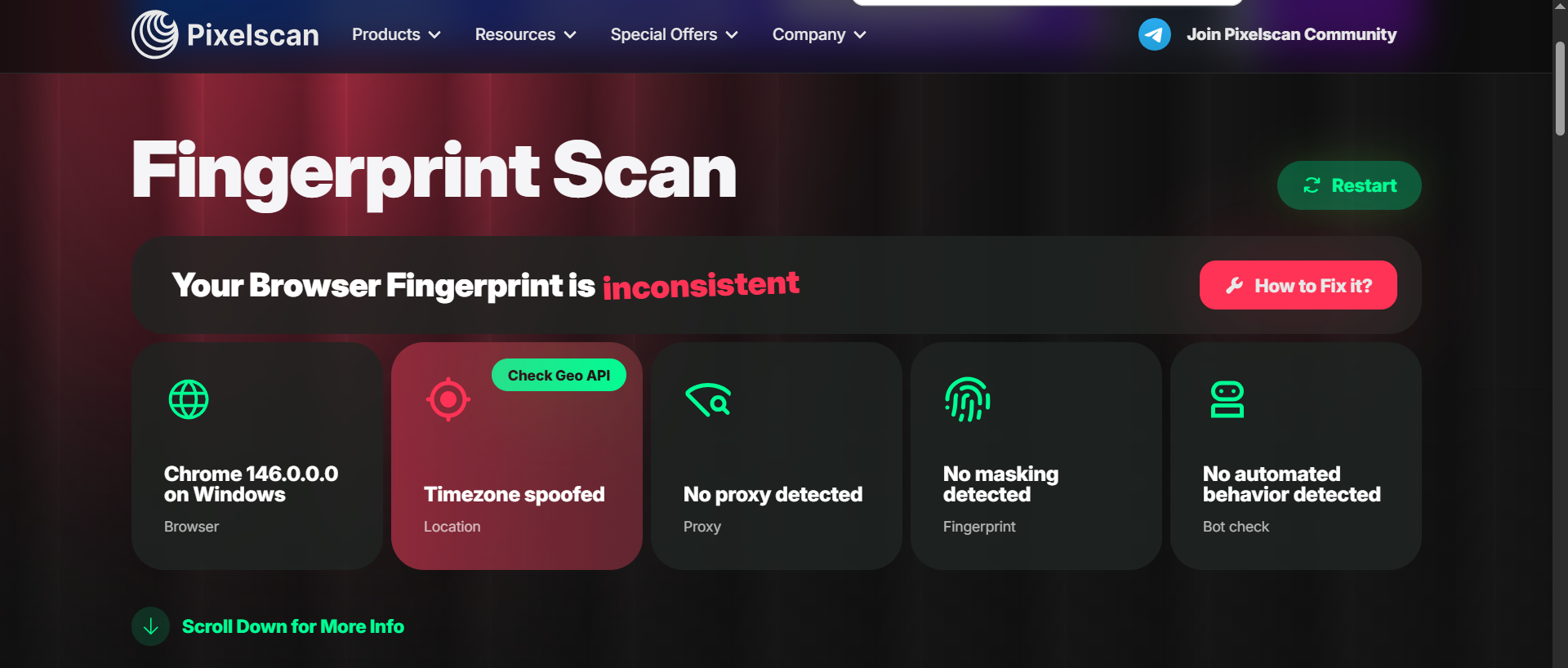
In this example, the checker detected a mismatch between the system time and the configured time zone.
To avoid wasting time searching for a reliable antidetect browser and proxy provider, simply use Dolphin Anty together with the partner proxy providers available when creating a browser profile.
Useful Dolphin Anty Features for Scaling Operations
The most important feature in Dolphin Anty is the bulk action panel. Select several browser profiles and it will appear automatically.
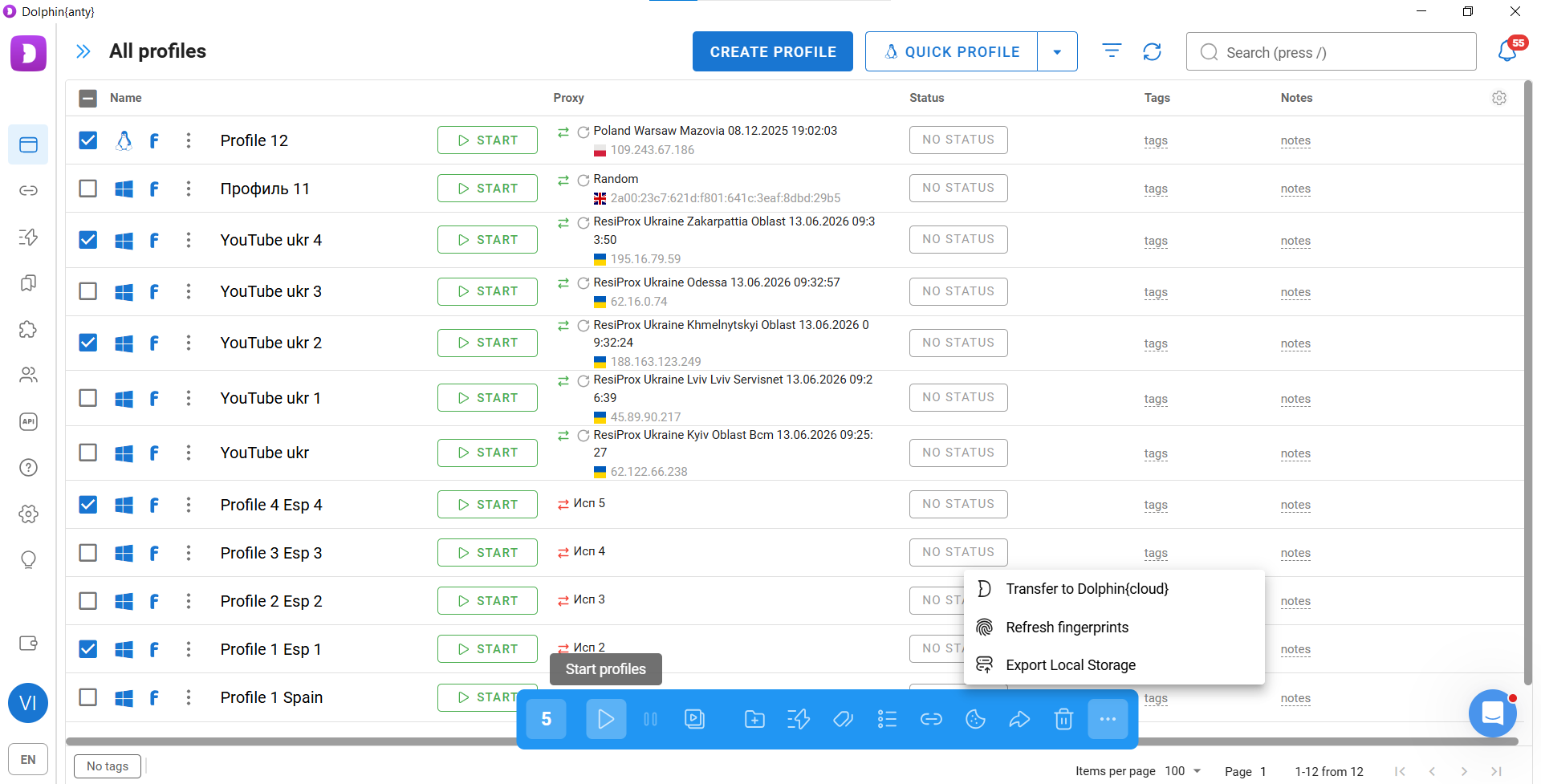
In addition to bulk launching and proxy assignment, two other functions are especially useful:
- Scenarios (Scripts)
- Synchronizer
Scenarios
Scenarios are chains of simple actions that Dolphin Anty performs automatically without your direct involvement. You only need to build the sequence once and then launch it in the required profiles.
Scenarios can be created using the built-in visual builder.
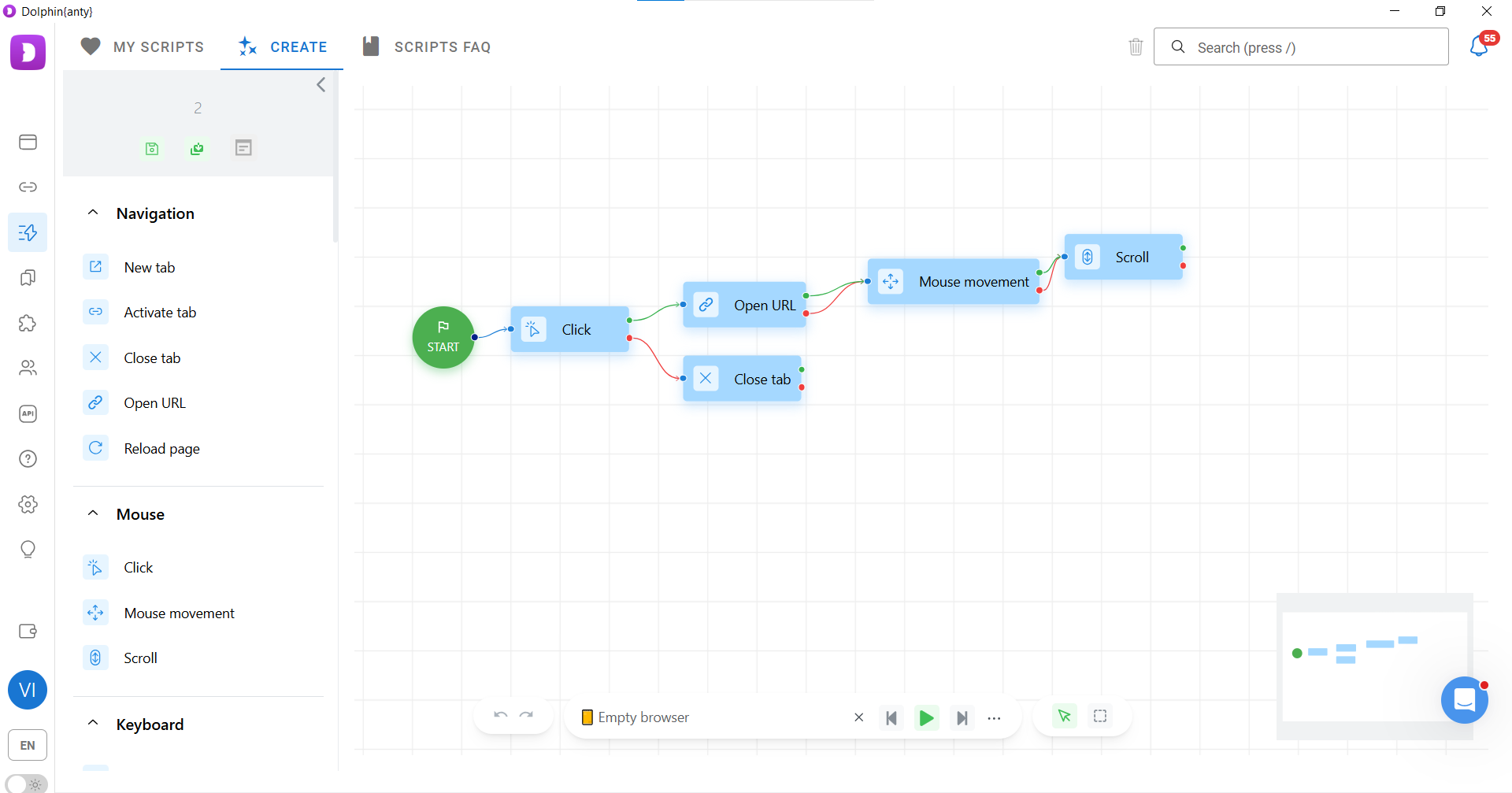
They are particularly useful for automating farming activities such as:
- Scrolling the feed;
- Liking posts and leaving comments;
- Sending friend requests;
- Clicking ads to build interest signals for Facebook.
Synchronizer
The Synchronizer mirrors your actions across multiple browser profiles.
For example, if you open Ads Manager in one browser profile, the Synchronizer will automatically open the same page in all synchronized profiles.
To use this feature, select the browser profiles, click "Synchronizer" in the action panel, and choose the master profile where you'll work manually.
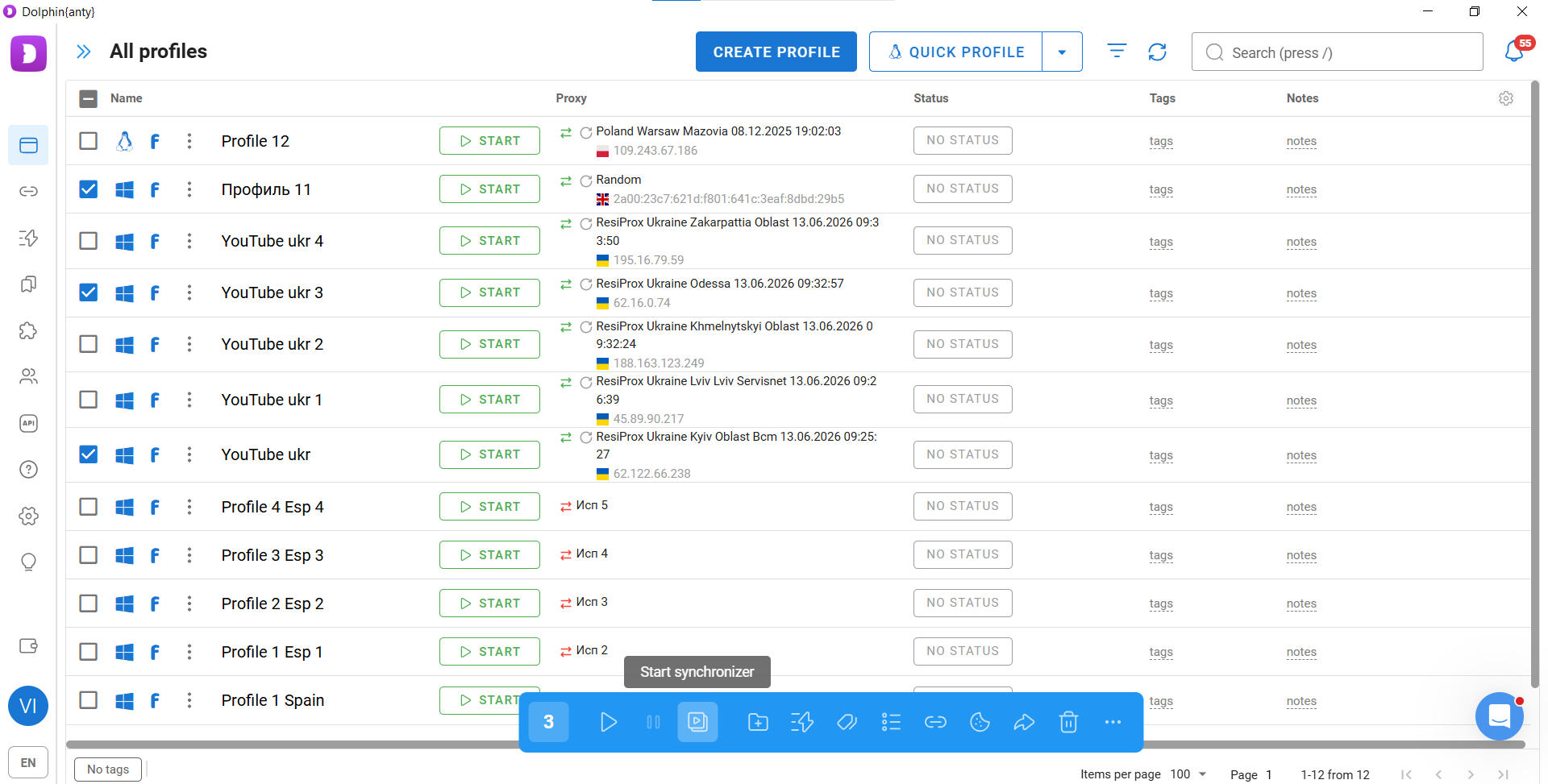
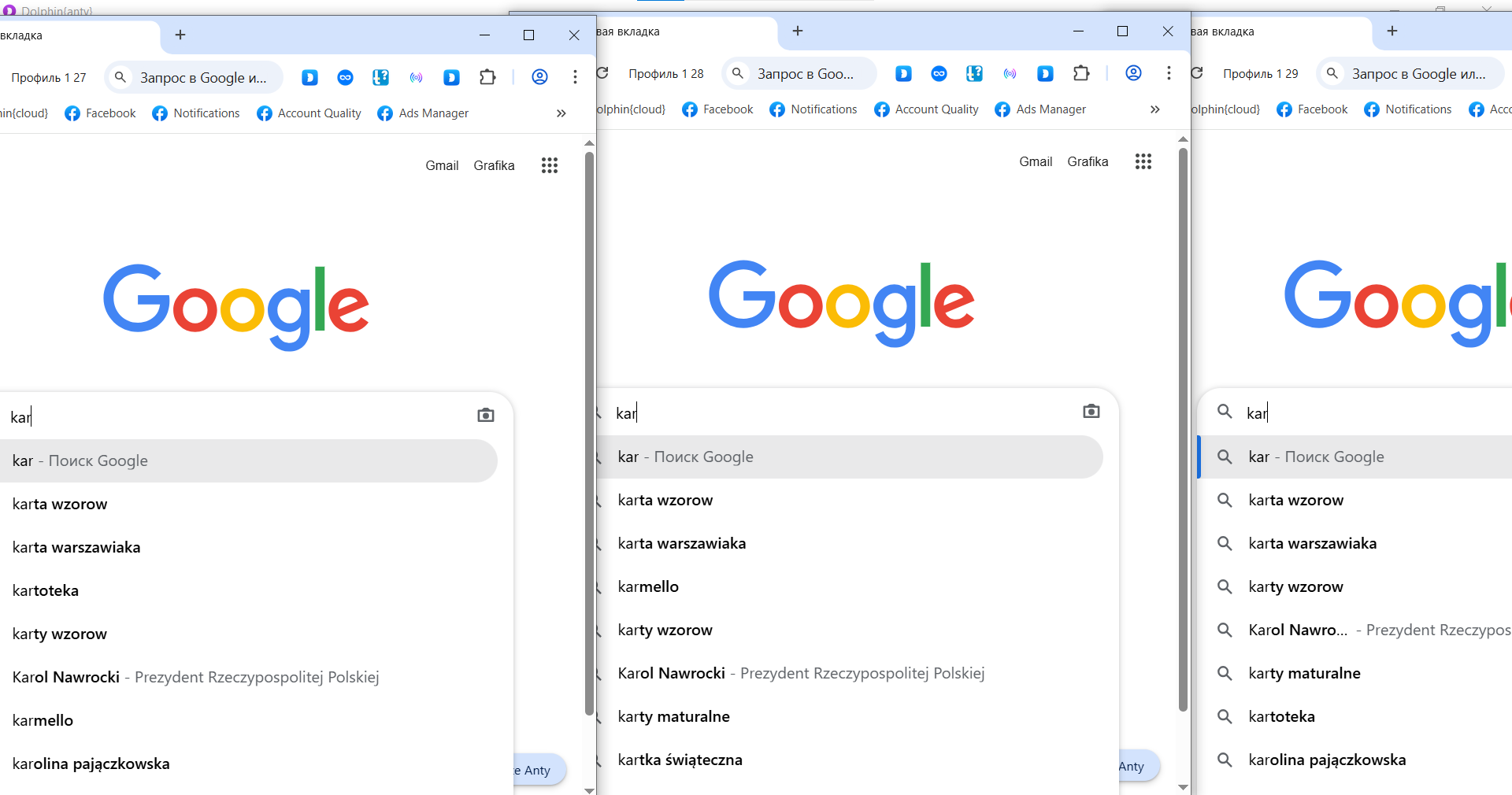
Several other functions can also make large-scale operations much easier:
- Profile Cloning. If you need dozens or hundreds of browser profiles, simply create one profile and then clone it as many times as necessary.
- Tags, Statuses, and Notes. These tools help you stay organized when working with large numbers of browser profiles. They also make it easy to filter profiles and display only the ones relevant to your current tasks.
- Team Collaboration. Teamwork functionality goes beyond simply adding people to your account and assigning access levels.
You can also share:
- Browser profiles;
- Proxies;
- Scenarios.
This makes it much easier to distribute tasks across a team and maintain a unified workflow.
Common Mistakes When Scaling
You risk account freezes and bans even when using Dolphin Anty if you make mistakes while configuring profiles or working with accounts.
Use only your actual operating system. If your device runs Windows, do not select macOS or Linux when creating a profile.
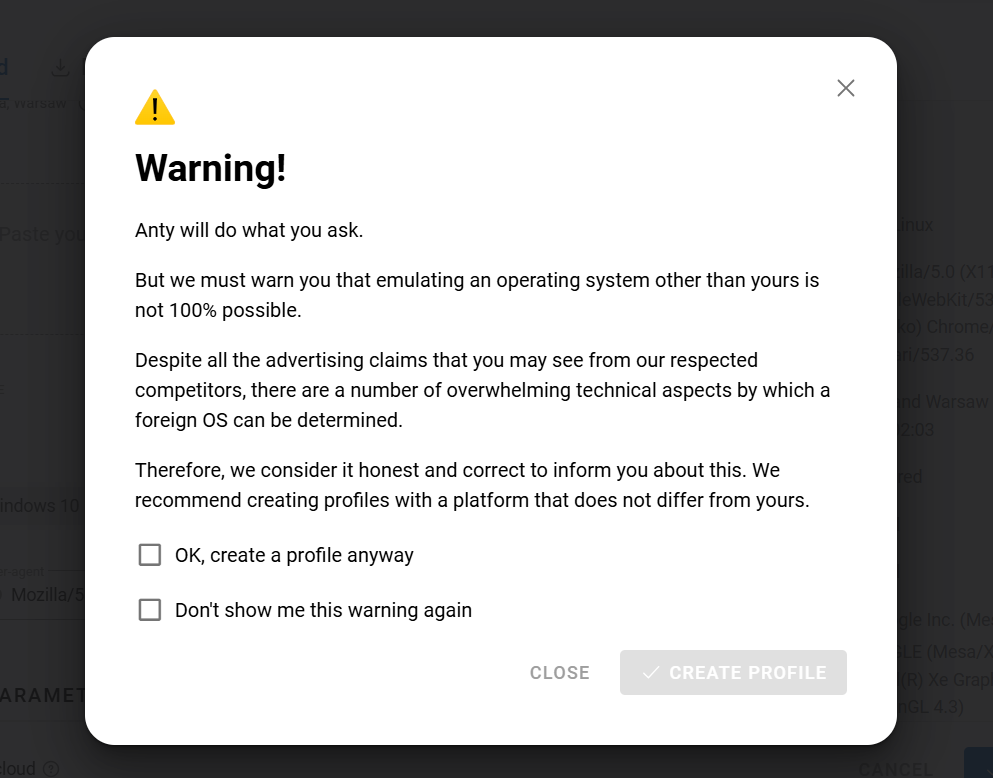
Do not reuse browser profiles or payment cards. If an account gets banned, discard it together with the browser profile, proxy, and card. The proxy, browser profile, and card are no longer suitable for further use.
Do not run accounts without cookies. A browser with no browsing history or cookies looks suspicious to antifraud systems. As a result, accounts launched in such an environment are more likely to receive checks and restrictions. If you do not buy accounts together with cookies, use Cookie Robot.
Maintain consistency. This means keeping certain parameters aligned. For example, if you are working with an account targeting France, use not only French proxies but also payment cards with French BINs (if possible), as well as French websites when generating cookies.
Conclusion
As you can see, building an infrastructure for large-scale campaign launches is not difficult - the key is having the right tools and knowing how to use them properly.
High-quality accounts, an antidetect browser, proxies, and payment solutions help reduce the number of checks, extend the lifespan of ad accounts, and make it easier to work confidently with large advertising volumes.
The better your infrastructure is prepared, the less time you will spend dealing with technical issues and replacing expendable resources.
Want to start with nutra? Have questions about the case-study?
All the nutra is discussed now 24/7 in the telegram chat Nutra Affiliate Community
Quick help for beginners
Sweet cases for motivation
Exclusive bonuses from partners $$$$
Intelligent moderators and all support for affiliate network in one place