How to run dr.cash Nutra offers long-term without account bans
The Nutra Reality: your ad hits a solid ROI, you bump the daily spend, and 12 hours later - your account gets slapped with a policy ban while spy tools eat your budget.
The Solution: TrafficSaviour is an advanced cloud-based cloaking and bot-filtering platform engineered for high-volume Nutra campaigns. It natively supports 40+ ad networks - including Taboola, Outbrain, Yandex, Facebook, Google, TikTok, and Native networks. It automatically detects reviewers, spy tools, and scrapers, routing them to a clean Safe Page while passing 100% of real buyers to your dr.cash offer page with zero parameter loss.
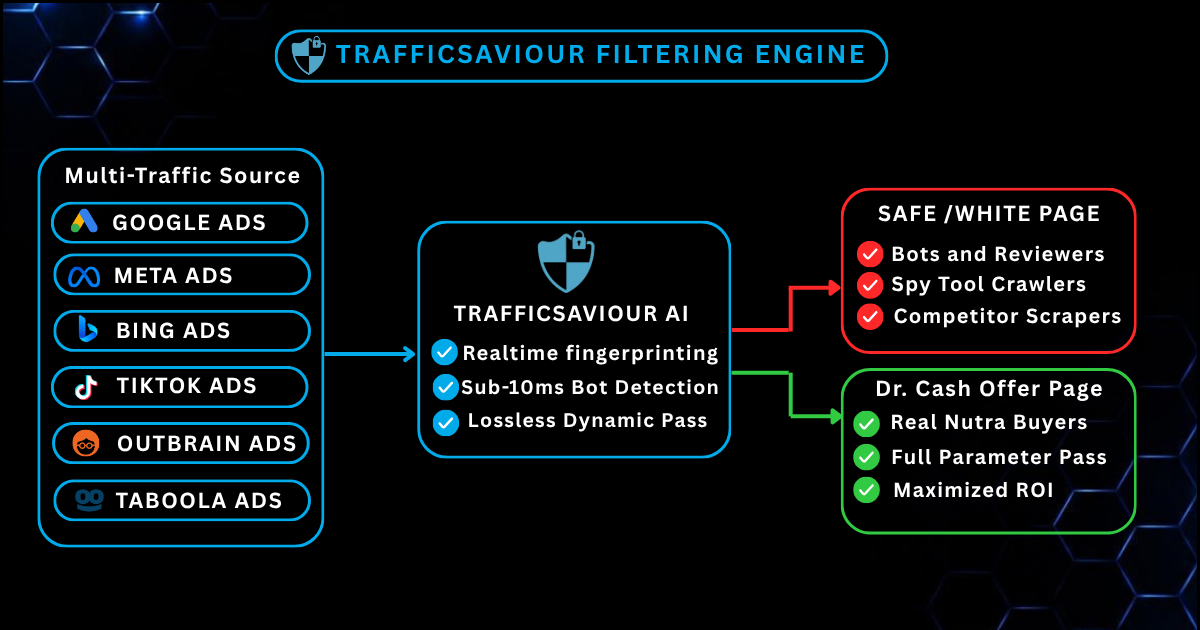
How the Filtering Works Under the Hood
Instead of just checking dead IP blacklists, TrafficSaviour runs a sub-10ms fingerprint check on every incoming hit across all supported ad networks:
- Ad Network Reviewers & Competitor Scrapers: Automatically get shown a 100% compliant Safe Page (White Page).
- Real Nutra Buyers: Instantly get passed to your live dr.cash offer link.
Setup Guide
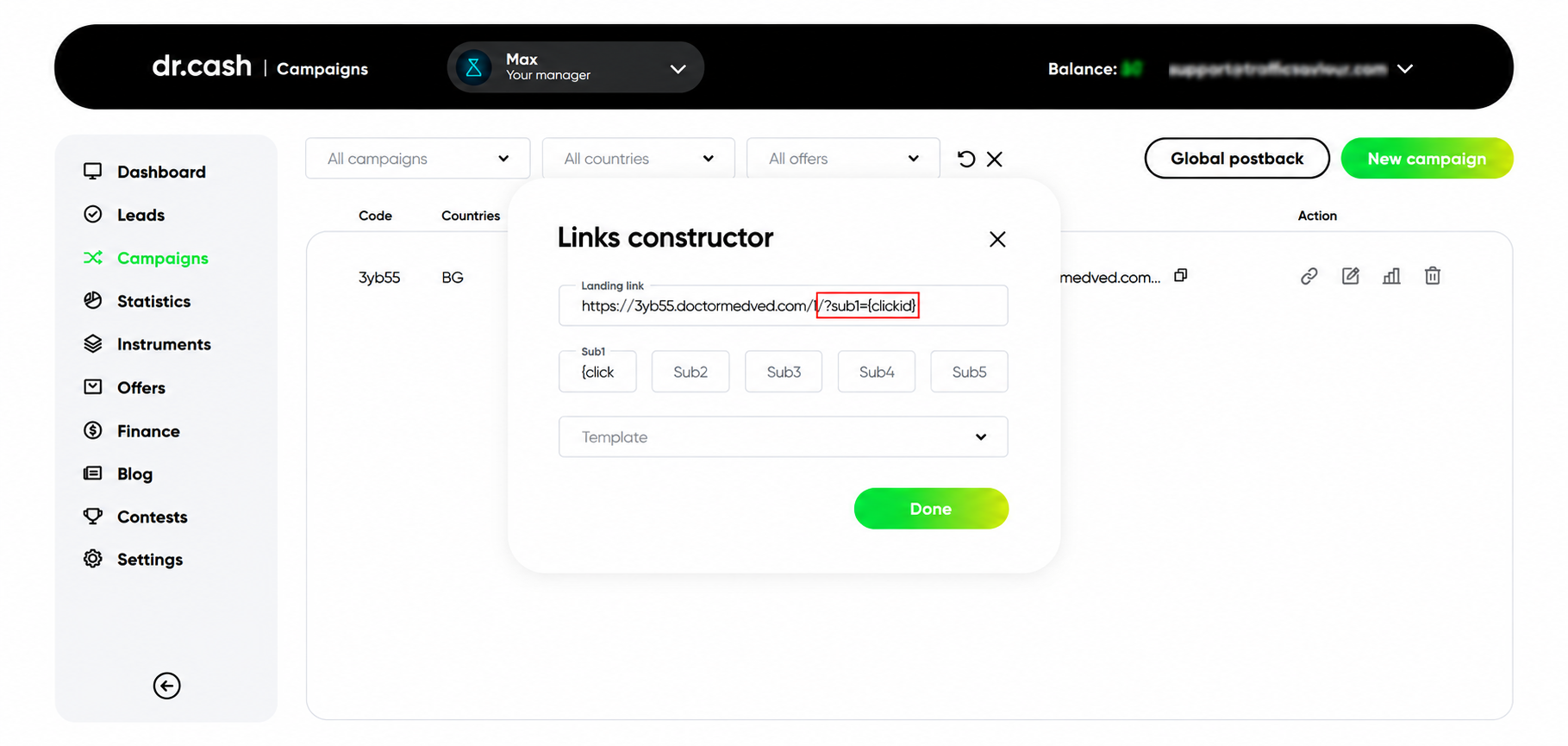
Step 1: Grab your dr.cash offer link
In your dr.cash dashboard, pick your offer and copy the offer link. Make sure to attach {sub1} for click tracking:
https://dr-cash-offer.com/?sub1={clickid}
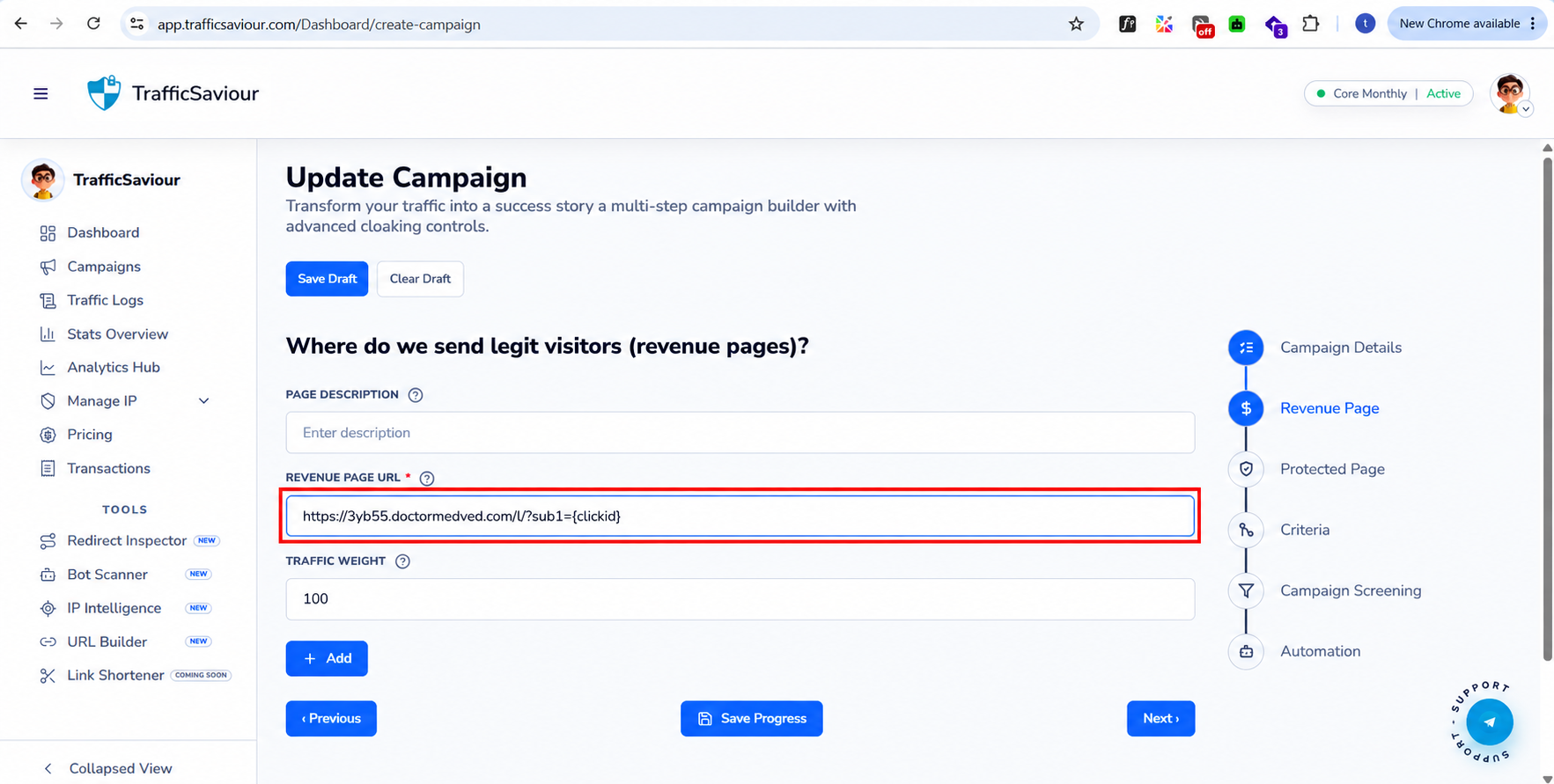
Step 2: Create uour campaign in TrafficSaviour
- 1. Go to TrafficSaviour Dashboard -> Click New Campaign
- 2. Select your ad network preset (e.g. Taboola, Outbrain, Yandex, Facebook, Google, TikTok, or Custom) and paste your dr.cash offer link as the Money Page (Target URL)
- 3. Paste your compliant white page link as the Safe Page.
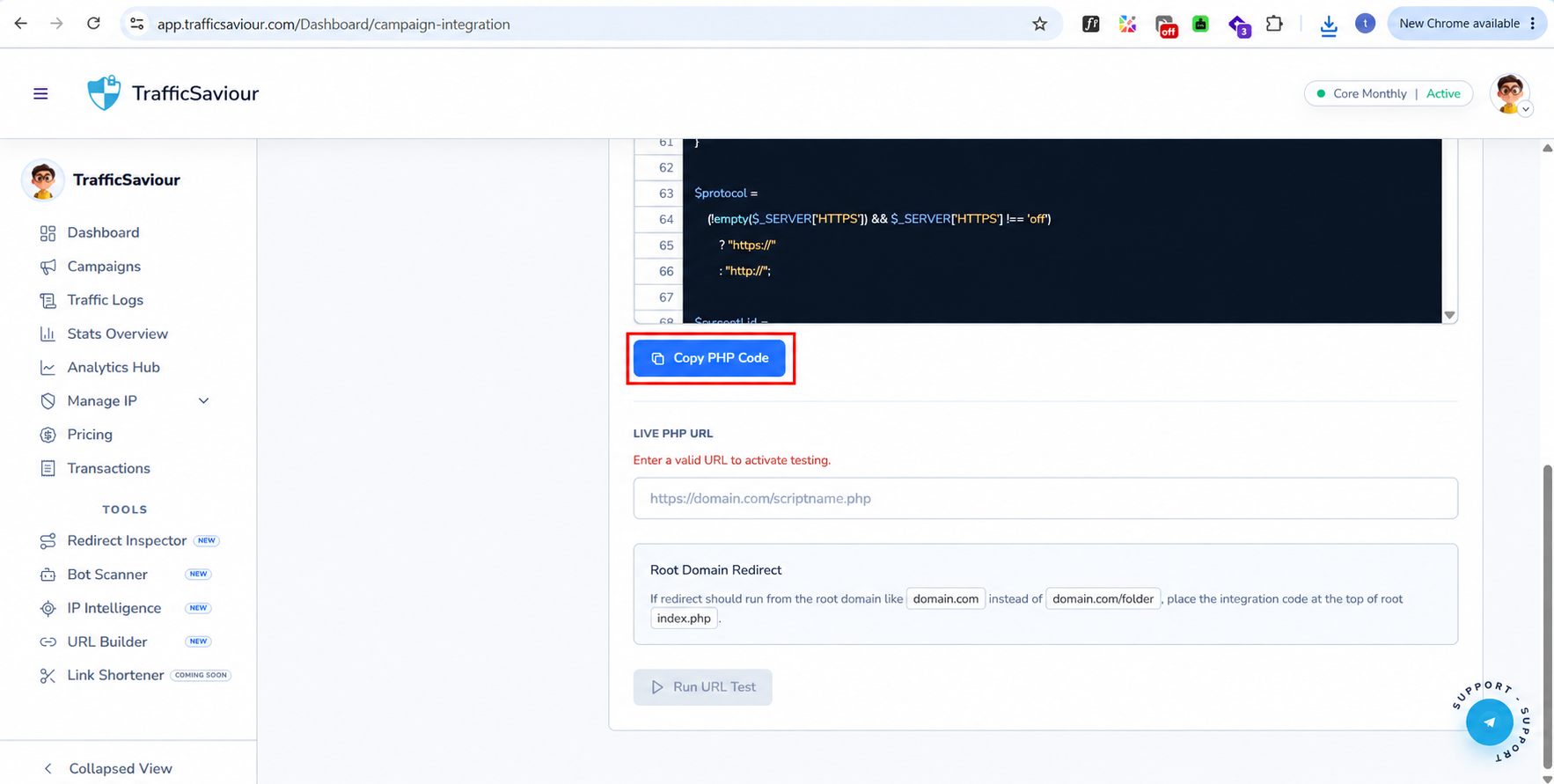
Step 3: Put the code on your server
Download your preferred snippet and upload it:
- Forward PHP: Put index.php on your root folder.
- PHP Paste : Put the php code at the top of your php page.
- JS Tag: Paste 1 line of JavaScript into your HTML header.
- WordPress: Use the WP plugin for 1-click integration.
Need help setting up your safe page? Check our step-by-step TrafficSaviour Integration Docs.
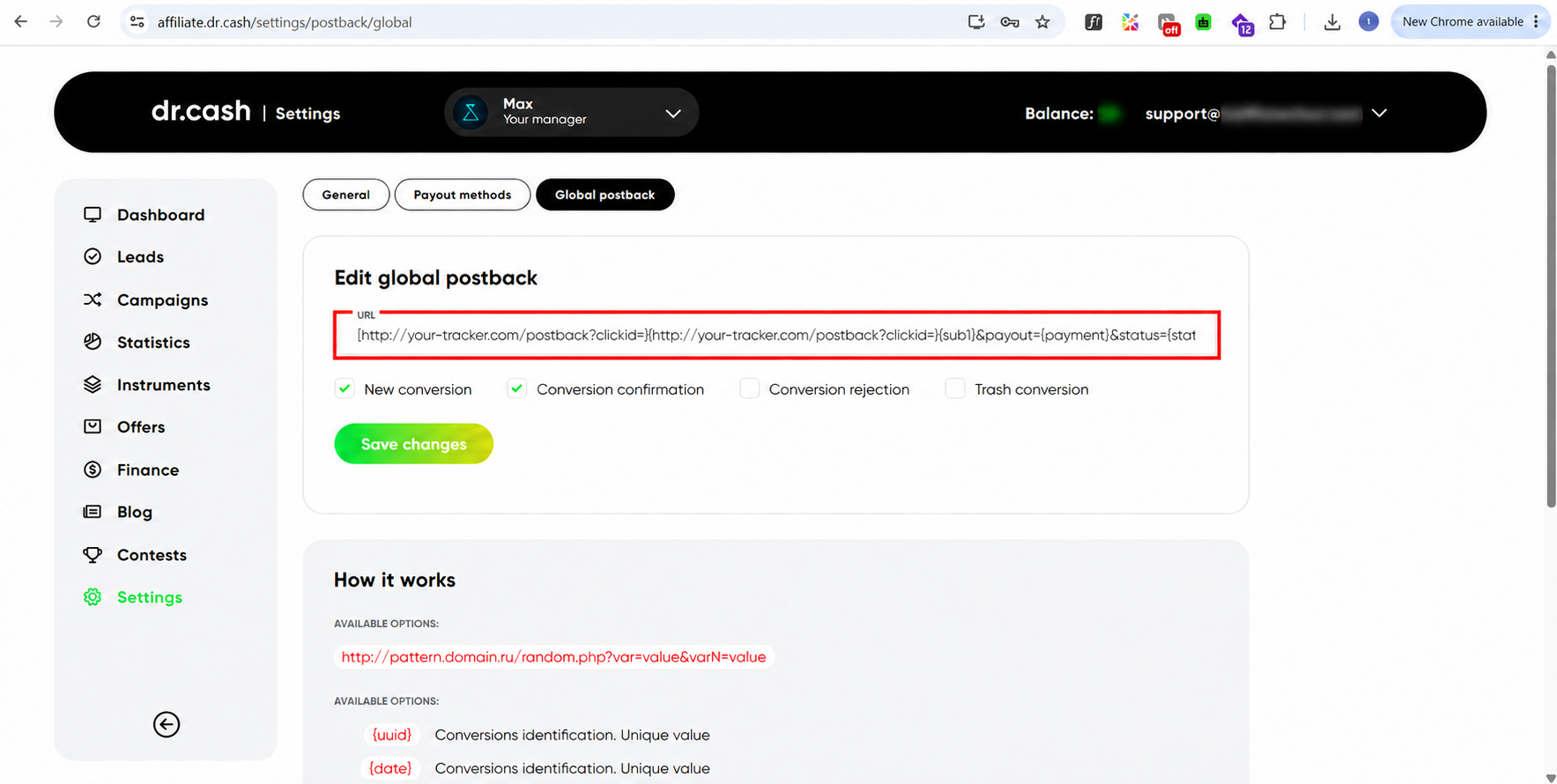
Step 4: Add your global postback
To sync sales back to your tracker, go to dr.cash > Settings > Global Postback and paste your postback link:
http://your-tracker.com/postback?clickid={sub1}&payout={payout}&status={status}
Feature Comparison
|
Feature |
Basic Legacy Cloakers |
TrafficSaviour Engine |
|
Software Type |
Legacy IP Filters |
Next-Gen Cloud Cloaking Platform |
|
Supported Networks |
FB / Google Only |
40+ Networks (Taboola, Outbrain, Yandex, FB, Google, TikTok, Native) |
|
Detection Tech |
Old IP Lists |
Fingerprinting + Machine Learning |
|
Tracking Tokens |
Often break dynamic parameters |
100% Lossless Dynamic Passthrough |
|
Setup Time |
Annoying API setup |
Plug & Play (Under 2 minutes) |
|
Spy-Tool Shield |
Minimal / None |
Built-in Anti-Scraper & Anti-Spy Shield |
Flexible plans for every Ad spend:
- Core: $45.50/mo (Ideal for testing & single campaigns)
- Edge Monthly: $94.50/mo (Most popular for scaling Nutra offers)
- Apex Monthly: $143.50/mo (For Senior Affiliates)
Exclusive Discount for dr.cash members - 20% LIFETIME DISCOUNT on all TrafficSaviour plans
How to Redeem: Simply send this code to our support team after signing up, and your 20% discount will be applied immediately!
PROMO CODE: DRCASH20
[ CLAIM YOUR 20% DISCOUNT & PROTECT YOUR CAMPAIGNS NOW ]
Want to start with nutra? Have questions about the case-study?
All the nutra is discussed now 24/7 in the telegram chat Nutra Affiliate Community
Quick help for beginners
Sweet cases for motivation
Exclusive bonuses from partners $$$$
Intelligent moderators and all support for affiliate network in one place